

🔥Hot Games
View All














Capybara Clicker
Immerse yourself in the world of adorable capybaras! Click the friendly giant rodent to watch your population grow, unlock charming costumes, and customize weather effects. The perfect stress-relief game for animal lovers.
What is Capybara Clicker? A Cozy Idle Game
Capybara Clicker is a relaxing browser game where you help capybaras multiply through gentle clicking and idle mechanics. Capybaras have become internet sensations for their calm, friendly demeanor and perpetual smiles, making them perfect mascots for a stress-free gaming experience. This game channels that peaceful energy into satisfying numerical growth. The core gameplay is wonderfully simple. Click the large capybara in the center to generate more capybaras. As your population grows, purchase helpful buildings and upgrades that automate production so your colony thrives even when you're busy with other tasks. There's no time pressure, no failure states, and no competitive elements—just the zen satisfaction of watching adorable rodents multiply. Developer Euclides created this game with peaceful music by Radiocosmo to provide a calming break from intense gaming. All capybaras are virtual entertainment with no real-world value. The game saves your progress automatically, letting you return anytime to continue nurturing your growing capybara family. Perfect for playing during work breaks, study sessions, or before bedtime.
How to Play and Enjoy Your Capybara Colony
Getting started with your capybara adventure is simple and stress-free.
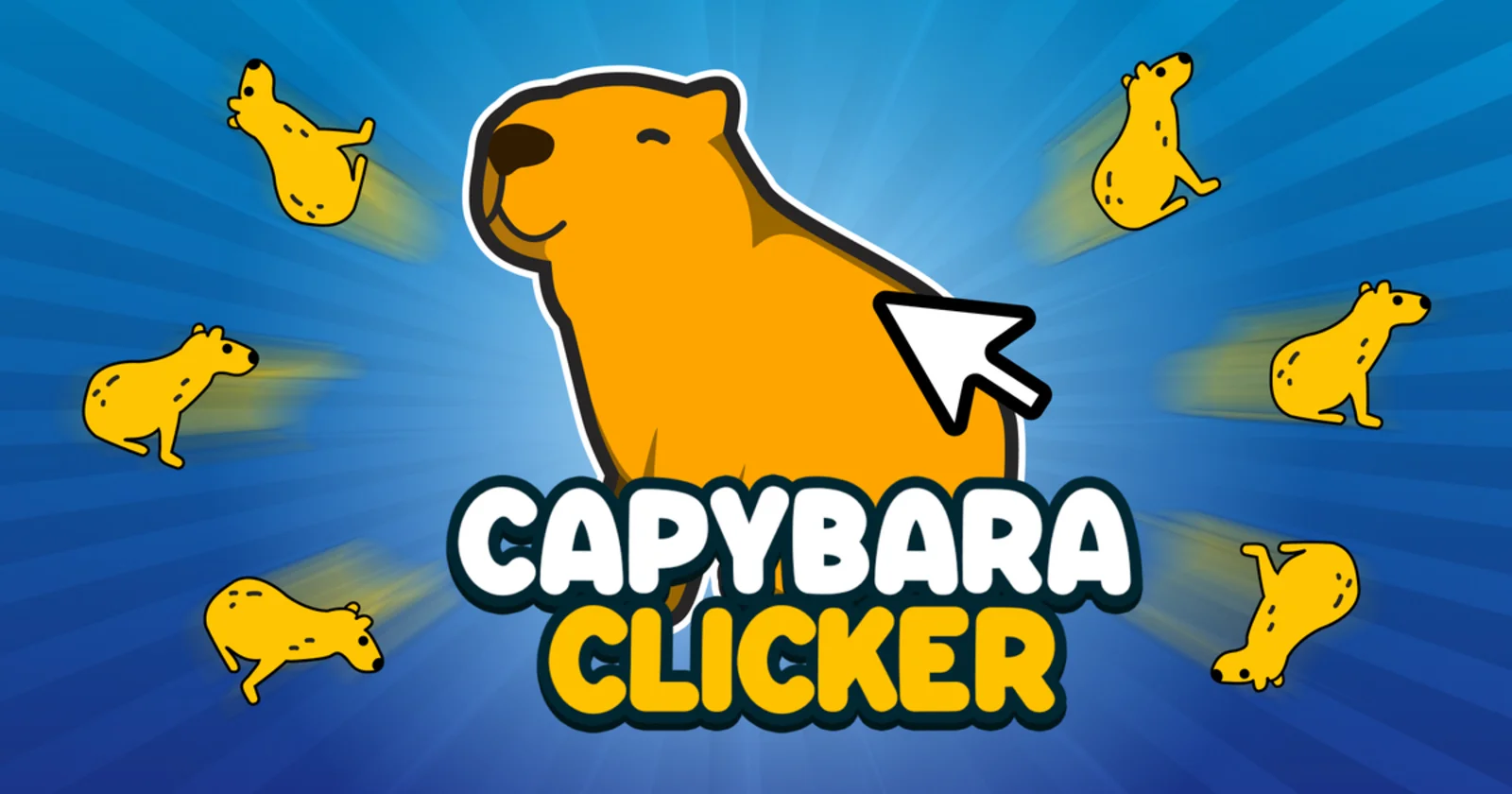
Step 1 - Meet Your First Capybara: When the game loads, you'll see a large, smiling capybara waiting to greet you. This friendly fellow is the heart of your future colony.
Step 2 - Start Clicking: Use your mouse or tap your screen to click the big capybara. Watch as tiny capybaras appear with each click, adding to your growing population counter at the top.
Step 3 - Buy Your First Helper: After clicking for a bit, you'll have enough capybaras to afford your first upgrade. Look for the cursor enhancement that makes each click produce more capybaras. This first purchase makes the game much more rewarding.
Step 4 - Build a Capybara Farm: Once you have a few hundred capybaras, invest in your first building. The Capybara Farm is a great starting choice where your capybaras can graze and naturally multiply.
Step 5 - Unlock Automatic Growth: Save up for the Auto Click upgrade, which lets capybaras appear automatically without you needing to click. Now you can watch your population grow while relaxing or doing other activities.
Step 6 - Diversify Your Buildings: As you accumulate more capybaras, purchase different building types. Each structure adds its own character to your colony. Temples for meditation, Pyramids for lounging, Power Plants for energy—mix and match to your preference.
Step 7 - Take a Break: Once you have automation running, leave the game open in a browser tab while you work, study, or browse. When you return, you'll find many new capybaras waiting to join the family.
Step 8 - Customize Your Experience: As you reach different population sizes, new costumes and weather effects unlock automatically. Visit the customization menu anytime to dress up your capybaras or change the scenery to match your mood.
Step 9 - Try the Ascension Button: When you're ready for a new challenge, the Ascend button lets you restart with special bonuses. This isn't necessary to enjoy the game, but it's there when you want to experience faster growth and try different approaches.
Charming Features That Make You Smile
Adorable Character Design
Meet the internet's favorite friendly giant rodent in cheerful cartoon style. The central capybara greets you with a permanent smile against a soothing navy blue backdrop. Each click produces tiny yellow capybaras that bounce onto the screen with joyful animations. The simple yet charming art style has made capybaras beloved across social media, and this game captures their endearing personality perfectly.
16 Delightful Costume Collection
Dress up your capybara family in whimsical outfits as you progress. Unlock space-themed Galactic Capybara for cosmic adventures, heroic Robinhood Capybara with a tiny bow, mystical Wizard Capybara casting spells, and classic Black and White Capybara for timeless style. Each costume unlocks automatically when you hit population milestones, giving you constant goals to look forward to beyond just watching numbers grow.
Calming Automatic Systems
Set up peaceful facilities where your capybaras can thrive independently. Build a Capybara Farm where they munch grass, construct a serene Temple for meditation, or establish a playful Factory where they craft toys. Once these structures are running, capybaras multiply naturally even when you step away. Return anytime to see how much your happy colony has grown in your absence.
Dynamic Weather Atmosphere
Change your capybara sanctuary's mood with five beautiful weather settings. Watch gentle Rain create puddles, feel the breeze during Wind mode, marvel at magical Star Rain falling from above, build snow-capybaras during Snowing, or enjoy sunny days in Normal weather. These atmospheric effects don't change gameplay but add visual variety that makes each session feel fresh and personalized.
Common Questions About Your Capybara Experience
Is this game really free to play?
Yes, Capybara Clicker is completely free with no hidden costs. You don't need to download anything, create an account, or watch mandatory ads. Simply open the game in your browser and start clicking. All costumes, weather effects, and features unlock through normal gameplay without requiring real money. It's accessible to everyone who wants a relaxing gaming break.
What are capybaras and why are they so popular?
Capybaras are the world's largest rodents, native to South America. They've become internet sensations because of their incredibly calm, friendly nature and their tendency to befriend all kinds of animals. Their perpetual smile and peaceful demeanor make them perfect symbols for relaxation and good vibes. This game captures that gentle spirit, offering a stress-free experience centered around these beloved creatures.
How do I unlock new costumes for my capybaras?
Costumes unlock automatically as your population reaches certain milestones. You don't need to purchase or activate them separately. Once unlocked, visit the customization menu to browse your collection and select which outfit you want your capybaras to wear. There are 16 different costumes ranging from space themes to fantasy styles. Keep growing your colony to unlock them all and find your favorites.
Do different weather settings change how the game works?
No, weather is purely for creating atmosphere and personalizing your experience. Whether you choose Raining, Snowing, Star Rain, Wind, or Normal, your capybaras multiply at the same rate. Weather effects are cosmetic features that let you match the game's mood to your preference. Some players enjoy the calming rain sounds, while others prefer magical star rain. Experiment to find what feels most relaxing for you.
Can my capybaras keep growing when I'm not actively playing?
Yes, once you purchase buildings and the Auto Click upgrade, your capybara population continues growing automatically. You need to keep the game tab open in your browser for this to work. Many players let it run in the background during work or school, then check back periodically to see their progress and purchase new upgrades. It's designed to fit around your schedule rather than demanding constant attention.
What happens if I press the Ascend button?
Ascension is an optional feature that restarts your population from zero but grants permanent bonuses for future playthroughs. Think of it as a fresh start with special powers. You only need to consider ascending if you've reached very high numbers and want to experience the growth journey again at a faster pace. It's not required to enjoy the game—many players never use it and just keep growing their original colony indefinitely.
Which buildings should I build first?
Start with the Capybara Factory and Capybara Farm since they're affordable and provide steady growth. After those, add the Temple for some variety. The beauty of this game is there's no wrong choice—each building contributes to your colony's growth. Choose based on which structures you find most charming. Later you can collect all building types to see your capybaras thriving in diverse environments.
Do I need a powerful computer to play?
Not at all! This game runs smoothly on any device with a web browser, including older computers, budget laptops, tablets, and smartphones. The simple graphics and straightforward mechanics mean it loads quickly and won't drain your battery. Perfect for playing on any device during breaks or downtime, regardless of technical specifications.
Will I lose my progress if I close the browser?
Your progress saves automatically in your browser's storage. When you return to the game on the same device and browser, your capybara population, buildings, and unlocked costumes will all be preserved exactly as you left them. Just avoid clearing your browser data if you want to keep your colony. Some players even run multiple saves by using different browsers.
What do the X2 and Free buttons at the top do?
These are special bonus buttons with limited uses. The X2 button temporarily doubles your clicking power, perfect for when you want to reach the next upgrade faster. The Free button gives you a bunch of capybaras instantly based on your current progress. Think of them as little gifts to help you through the early stages or break through tough milestones. Use them whenever you feel like giving your colony a boost.
Is there an ending or final goal?
Capybara Clicker is an open-ended experience focused on relaxation rather than completion. There's no final boss or ending cutscene. The goal is simply to enjoy watching your capybara family grow while collecting costumes and creating your perfect environment. Play for five minutes or five hours—whatever feels right. Many players keep it running for weeks, checking in daily to see their progress and try new costume combinations.